Paperback margins and gutters: A quick guide for first-time authors
Simple margin and gutter guide for perfect paperback formatting.

Words by
Rehmat Amjad
Why margins and gutters matter more than you think
Every year, over 2 million books are self published out of which thousands of books are rejected, or worse, published looking unprofessional. A significant number of first-time authors discover formatting problems only after receiving the print. This is not because of poor writing, but because of formatting mistakes. One of the biggest culprits?
Margins and Gutters. Most authors never think about them until it's too late.
Authors spend months, even years perfecting their manuscript, only to let Word's default settings decide how their book looks in print.
At PublishPro, we've helped authors move from:
"I've finished writing" to →"My book is ready to publish."
That means taking care of the technical details like margins, gutters, trim sizes, and print-ready formatting, so your book feels as professional as the story inside it.
What are margins?
Think of your book like a picture in a frame. The story is the artwork, the margins are the space around it that lets readers appreciate what's inside.
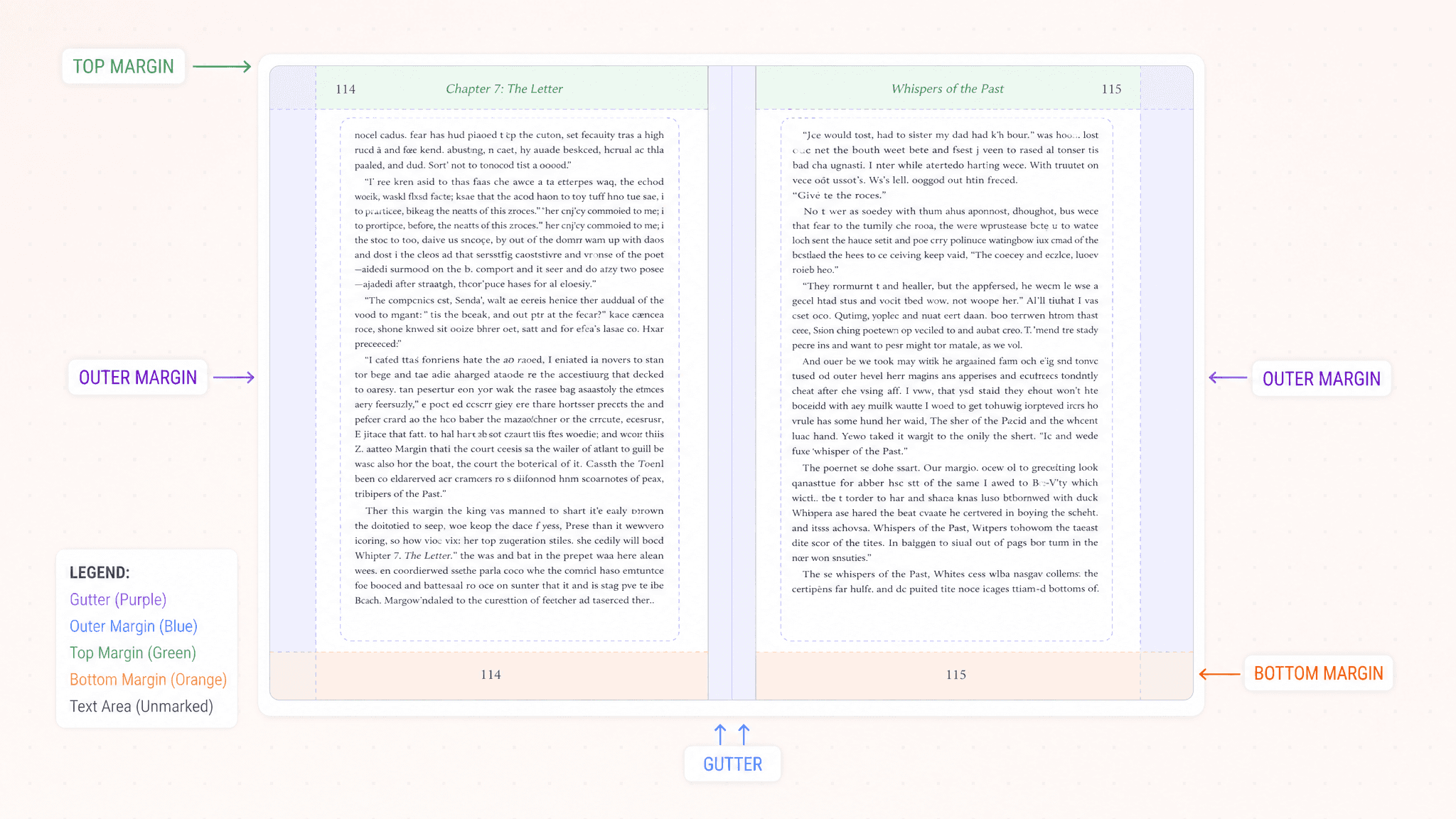
Margins are simply the empty space surrounding the text on every page:

They serve two important purposes.
First, they make the page comfortable to read. Studies show that readers find pages with adequate white space easier to scan and less mentally tiring than densely packed text.
Second, they protect your content during printing. Without enough space around the edges, words can appear crowded and uneven.
Great book design is often invisible. Readers rarely notice perfect margins, but they always notice bad ones.
Why two books can have different margins
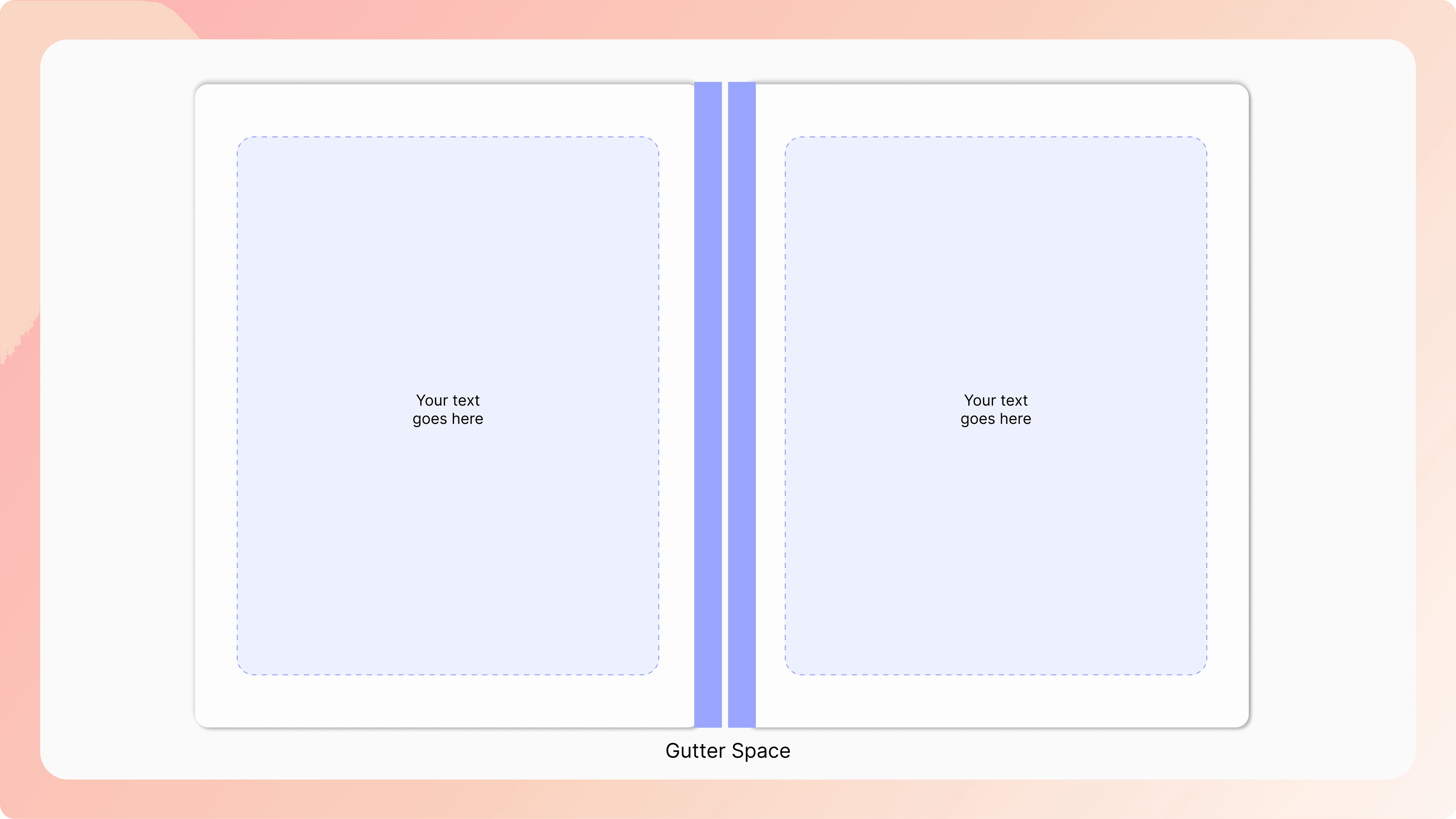
The gutter is the inside margin. It sits closest to where the book is bound.
Pick up a slim romance novel and a 600-page fantasy epic. Notice how both feel comfortable to read? That's not a coincidence.
Books aren't formatted with one universal set of margins. They are adjusted based on three key factors:
Trim size – A 5" × 8" novel and an 8.5" × 11" workbook need different layouts.
Page count – Thicker books require wider gutters because more paper disappears into the spine.
Binding type – Paperback, hardcover, and spiral-bound books all behave differently when opened.
Instead of searching for tables, calculating gutter widths, and testing endless print proofs, you simply upload your manuscript, choose your trim size, and let PublishPro create a print-ready layout that meets KDP requirements from the start.
What size should your margins be?
There isn't one "perfect" margin size for every book. It depends on the size of your pages, also known as the trim size.
Here are the measurements most professional self-publishers use.
For a 5" × 8" Paperback
Margin | Size |
|---|---|
Top | 0.5” |
Bottom | 0.5” |
Outside | 0.5” |
Inside (gutter) | Based on page count |
For a 300-page paperback, the KDP minimum inside margin (gutter) is 0.5".
For a 6" × 9" Paperback (the industry favorite)
Margin | Size |
|---|---|
Top | 0.875” |
Bottom | 0.875” |
Outside | 0.875” |
Inside | Based on page count |
For a 150-page paperback, the KDP minimum inside margin (gutter) is 0.375".
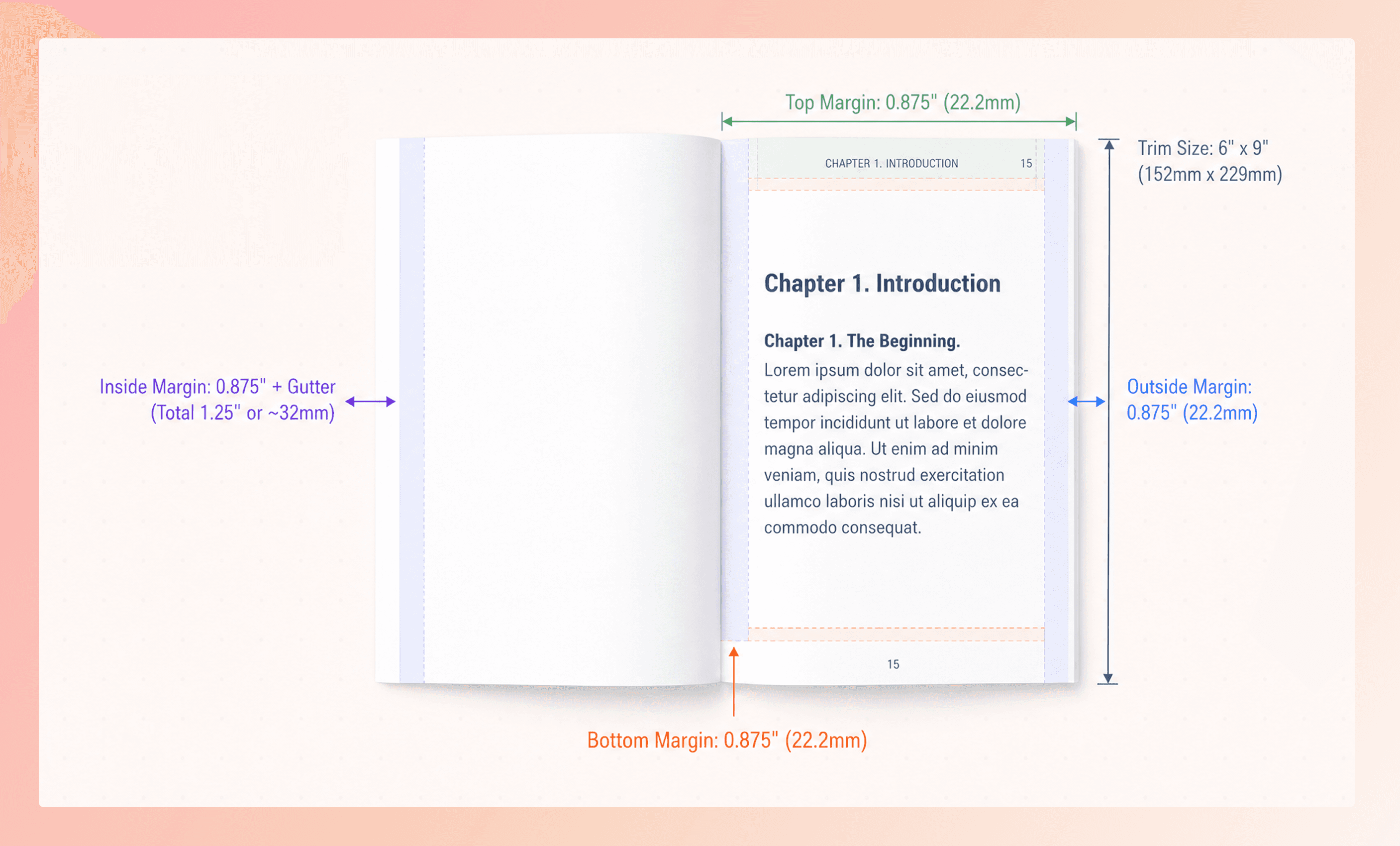
Of course, remembering these numbers isn't why you became an author. That's why PublishPro applies the correct measurements automatically based on the trim size you choose.
Meet the gutter: The margin everyone forgets
If margins are the frame around your artwork, the gutter is the extra breathing room that keeps your story from getting trapped inside the spine.
When a paperback is printed, dozens or even hundreds of pages are glued together. As the book gets thicker, more of each page disappears into the spine. That's why a 500-page novel needs more gutter space than a 120-page novella.
Without a proper gutter, readers end up doing this:
Pulling the book open with both hands
Tilting the page to read the inner lines
Missing words tucked into the fold.
PublishPro automatically calculates the right gutter based on your page count and trim size, so your readers never have to wrestle with the book just to finish a sentence.
“ Because great books should pull readers into the story, not into the spine”
Why the gutter gets bigger
Think of a thin 120-page novella and a hefty 500-page fantasy novel.
The thicker the book becomes, the deeper each page disappears into the spine. Without increasing the gutter, the inner text slowly gets swallowed by the binding.
Page Count | Recommended Gutter |
|---|---|
Up to 150 pages | 0.375” |
151–300 pages | 0.5” |
301–500 pages | 0.625” |
501–700 pages | 0.75” |
701–828 pages | 0.875” |
Instead of asking you to memorize these figures, PublishPro recalculates the gutter every time your manuscript changes.
Added another chapter?
Deleted twenty pages?
Changed your font?
PublishPro updates the layout behind the scenes, so your book is always print-ready.
Formatting shouldn't be another obstacle
You've already edited your manuscript. You've rewritten chapters. You've designed a cover. You've probably questioned whether the book was good enough more times than you can count.
Formatting shouldn't become one more obstacle between your manuscript and the bookshelf.
Every time you upload a manuscript to PublishPro, you're not just getting correctly sized margins. You're getting the confidence that your book will look professional. You would not have to spend hours on technical formatting or print proofing.
Built for every kind of publisher
Whether you're publishing one book or one hundred, PublishPro scales with you.
PublishPro is best for:
Indie Authors / Self Publishers
Publishing teams and Agencies
Book Designers and Formatters
Margins and gutters may not be the most exciting part of publishing, but they're one of the most important. They quietly shape how readers experience your book, long before they decide whether they love your story.
Your readers should remember your characters, your ideas, and your ending, not the fact that they had to force the book open to read the text.
Let PublishPro handle the production, so you can focus on creating the next story worth publishing.
